
CapCut
CapCut for Windows is ByteDance's desktop video editor, with a timeline, templates and export presets for short and long videos.
533.8 MB

8.7.27159 · iSpring Solutions Inc. · Page updated
Free Cam is a free screen recorder for Windows from iSpring Solutions for recording screencasts with voice-over and trimming them before export.
Average 0.0 · ratings: 0
Thank you! Your rating is saved; you can change it. Could not save the rating. Please try again later. Too many ratings from your network today. Please try again tomorrow. The average appears after 5 ratings.
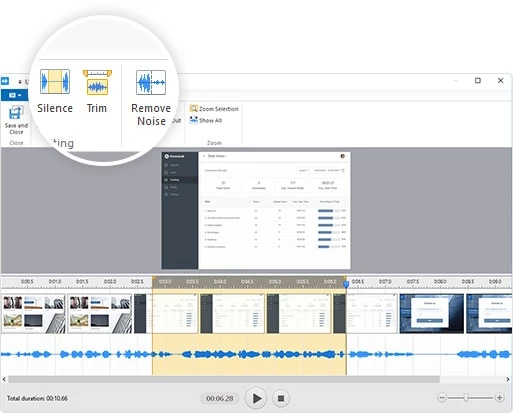
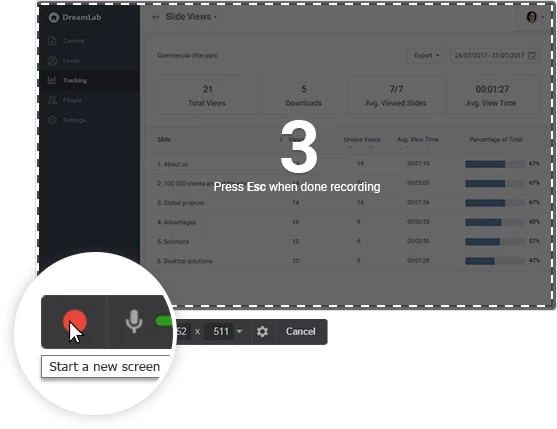
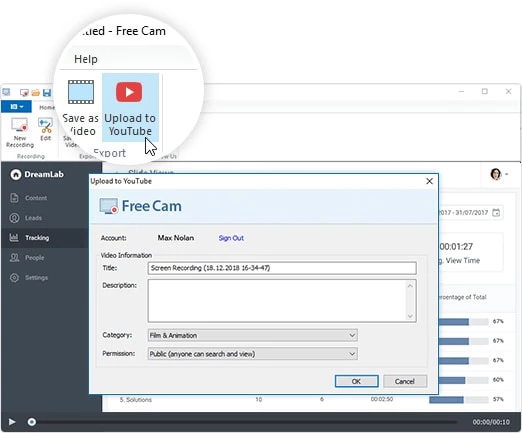
Free Cam 8.7.27159 is a free screen recorder for Windows from iSpring Solutions Inc. It captures the whole screen or a selected area together with your microphone, lets you cut out mistakes and saves the result as a video. The program is made for tutorials, lesson recordings and short how-to videos, and you can download Free Cam for Windows from iSpring's website.
Free Cam fills the gap between the basic recording tools built into Windows and full video editors. Teachers use it to record a lesson over slides, support staff to show a customer where a setting is, and colleagues to explain a process instead of writing a long email. What makes it pleasant for beginners is that recording and editing live in one small window: you record, remove a pause or a slip of the tongue and save. There are no timelines with dozens of tracks to learn. The flip side is that anything more ambitious, such as webcam overlays, multiple scenes or animated callouts, needs a different tool. iSpring sells more advanced recorders for that, but Free Cam itself is enough for a clean screencast.
A screen recorder captures whatever is visible, including open emails, browser tabs and passwords typed without masking. Check the full recording before you share it. Install Free Cam from iSpring's own pages; product news is posted on the iSpring what's new page.
For streaming and advanced recording, our listings include OBS Studio and Streamlabs OBS. To edit recordings further, Shotcut, DaVinci Resolve and CapCut are good options.
CapCut for Windows is ByteDance's desktop video editor, with a timeline, templates and export presets for short and long videos.

CapCut Web is ByteDance's online video editor that runs in the browser, with templates, text, effects and export for social media videos.

VLC media player is a free, open-source video and audio player for Windows from the VideoLAN team. The current release is 3.0.24.

Green Free Video Converter is a small free Windows program for converting video files between common formats for phones, players and editors.

Format Factory is a free Windows multimedia converter from Free Time for changing video, audio and image files between formats.

Streamlabs OBS, now called Streamlabs Desktop, is a free open-source Windows app for live streaming and recording with built-in alerts and overlays.

TikTok for Windows is the desktop app of the short-video platform from TikTok Pte. Ltd., available free from the Microsoft Store.

Iriun Webcam is a small free Windows program that turns an Android phone or iPhone into a wireless webcam for video calls and streaming.